

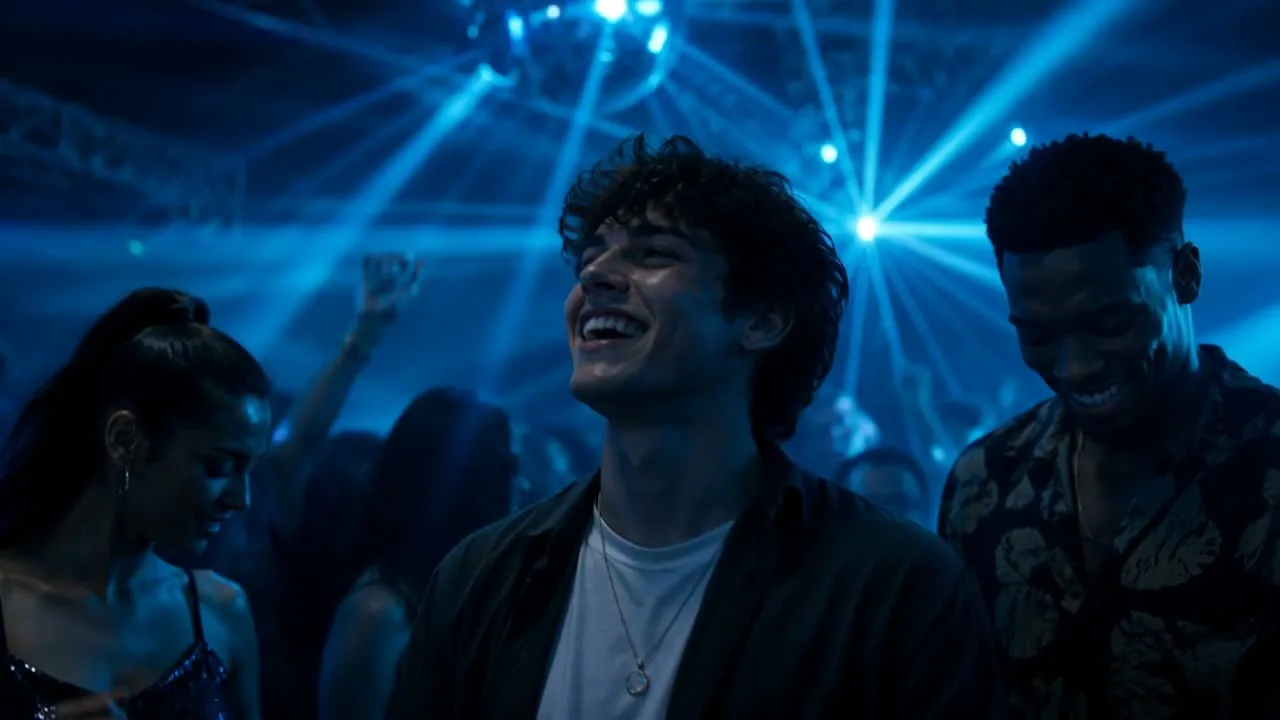
Create advertising videos with AI-powered visual effects in one creative workspace.
Lemonpeel brings AI video models, Motion Graphics, Camera Control, editing, image generation, sound, reusable assets and ready-made workflows into one platform for professional creative production.
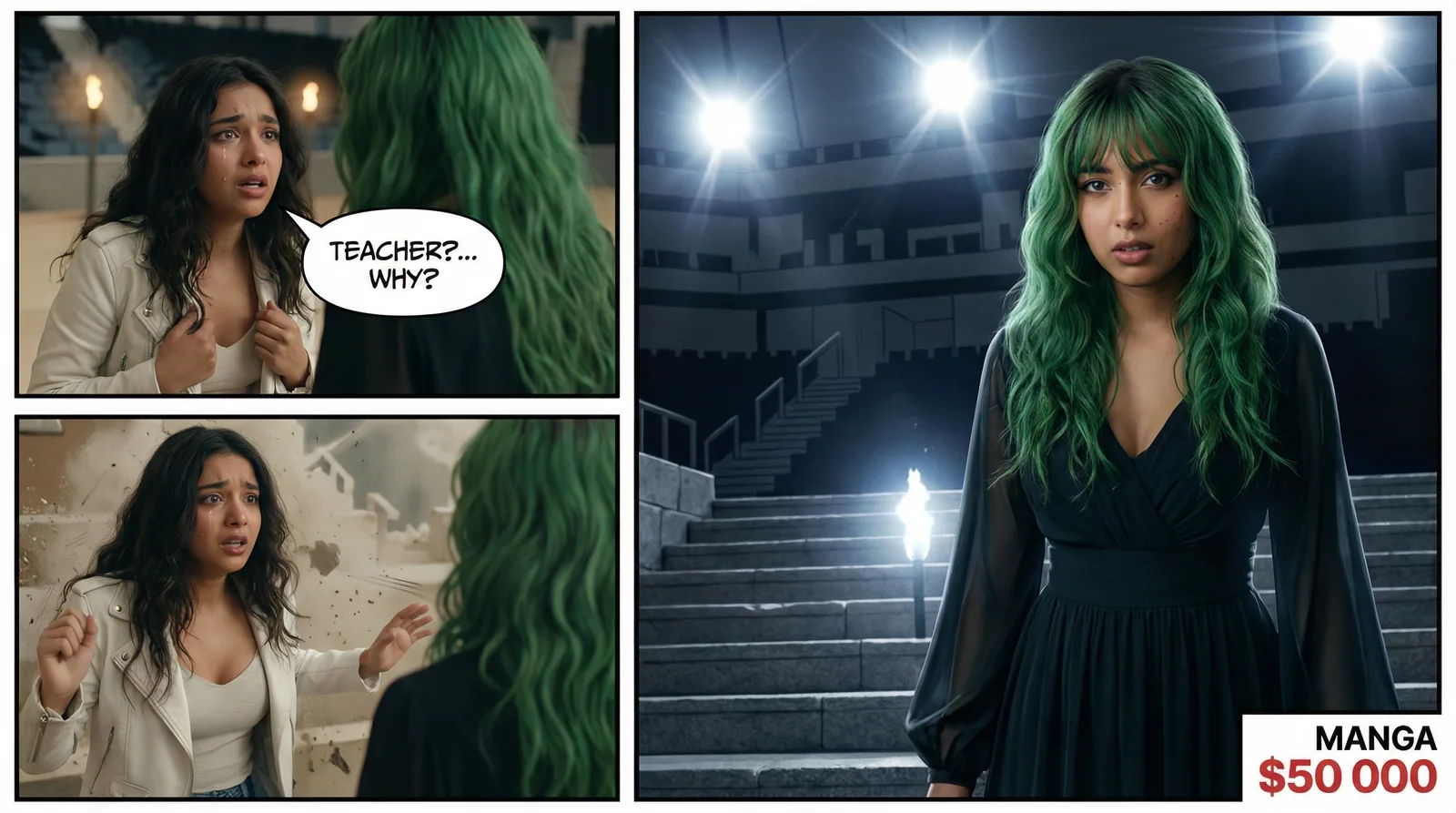
Turn visual references into continuous film scenes through a structured AI workflow.
- 01Multiple video modelsExplore video generation from one platform.
- 02Motion GraphicsBuild visual content beyond basic generation.
- 03Marketing StudioCreate product videos and advertising concepts.
- 04Ready-made FlowsTurn recurring creative tasks into workflows.
AI visual effects software for modern video production.
An AI visual effects video generator uses artificial intelligence to help create, transform, enhance or assemble visual elements used in video production.
For advertising and creative teams, that can include generating visual assets, creating video scenes, controlling camera movement, adding motion graphics, transforming references, editing footage, resizing content and combining multiple creative stages into a repeatable workflow.
Lemonpeel approaches AI video production as a broader creative system rather than only a single text-to-video generator. Its platform brings video, image, audio, editing, workflows and creative references together.
Build the effect inside the production workflow.
A visual effect is rarely the entire advertising production. Creative teams also need the product, characters, references, format, sound, edit and final output to work together.
- Keep products and creative references available throughout production.
- Explore multiple AI video models from one environment.
- Combine generated video with image, audio and editing capabilities.
- Use Motion Graphics and Camera Control as part of visual development.
- Reframe and resize content for different output formats.
- Convert recurring production requirements into reusable workflows.
Move from a product idea to an advertising video workflow.
Lemonpeel's Marketing Studio is designed around advertising production. Its live workflow can take a product image and character image, let you select an ad type, define a prompt, choose an aspect ratio and duration, and add a hook.
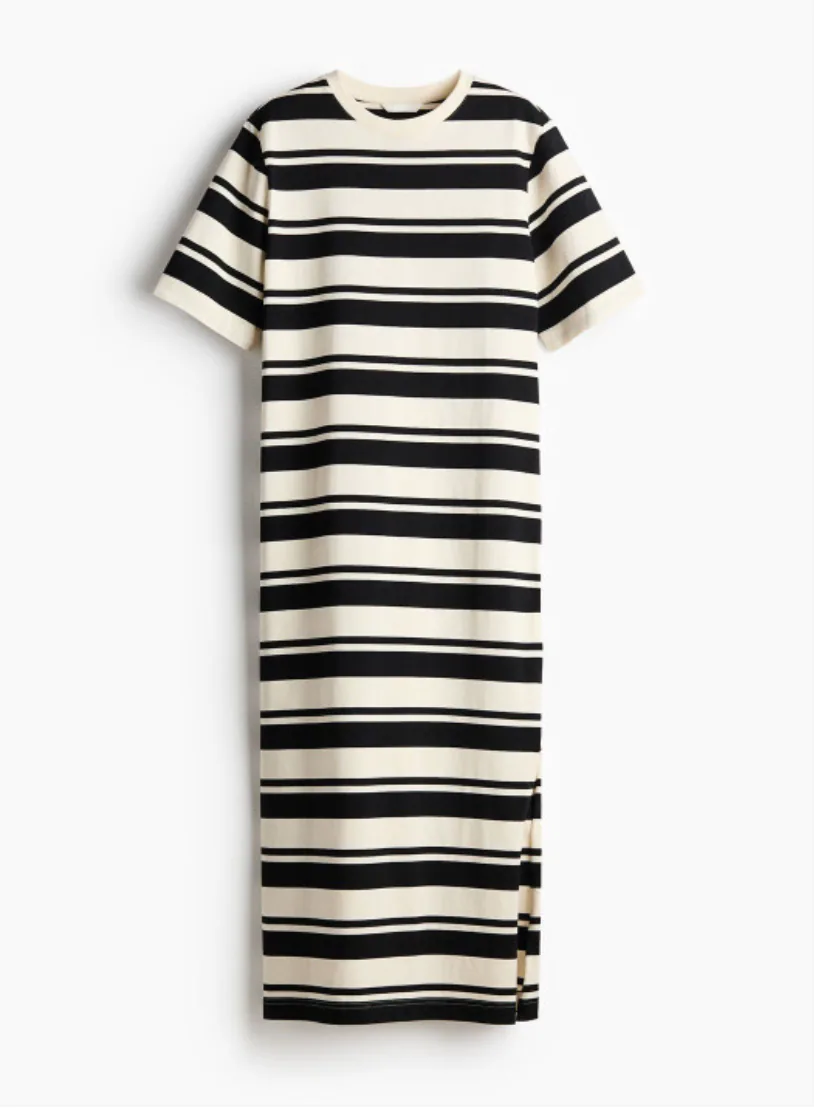
Lemonpeel's Marketing Studio accepts a product image as an input for advertising video creation.
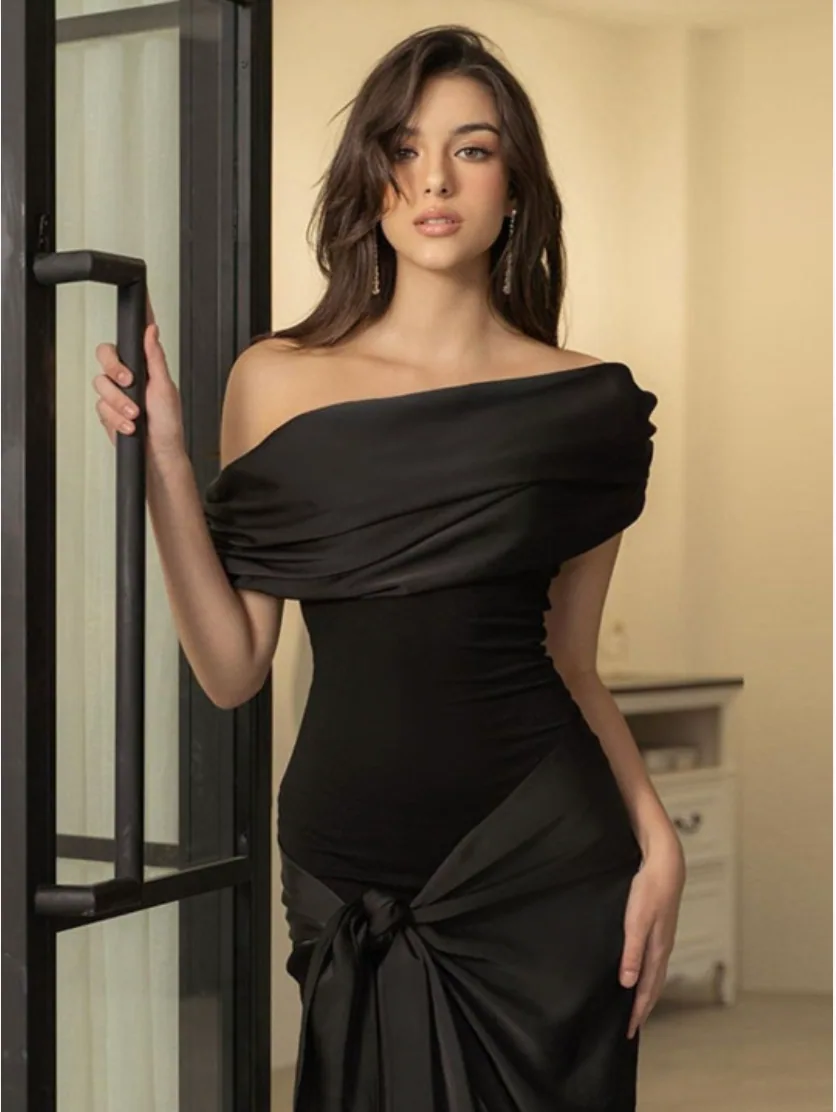
Character references can be used alongside the product in supported advertising workflows.
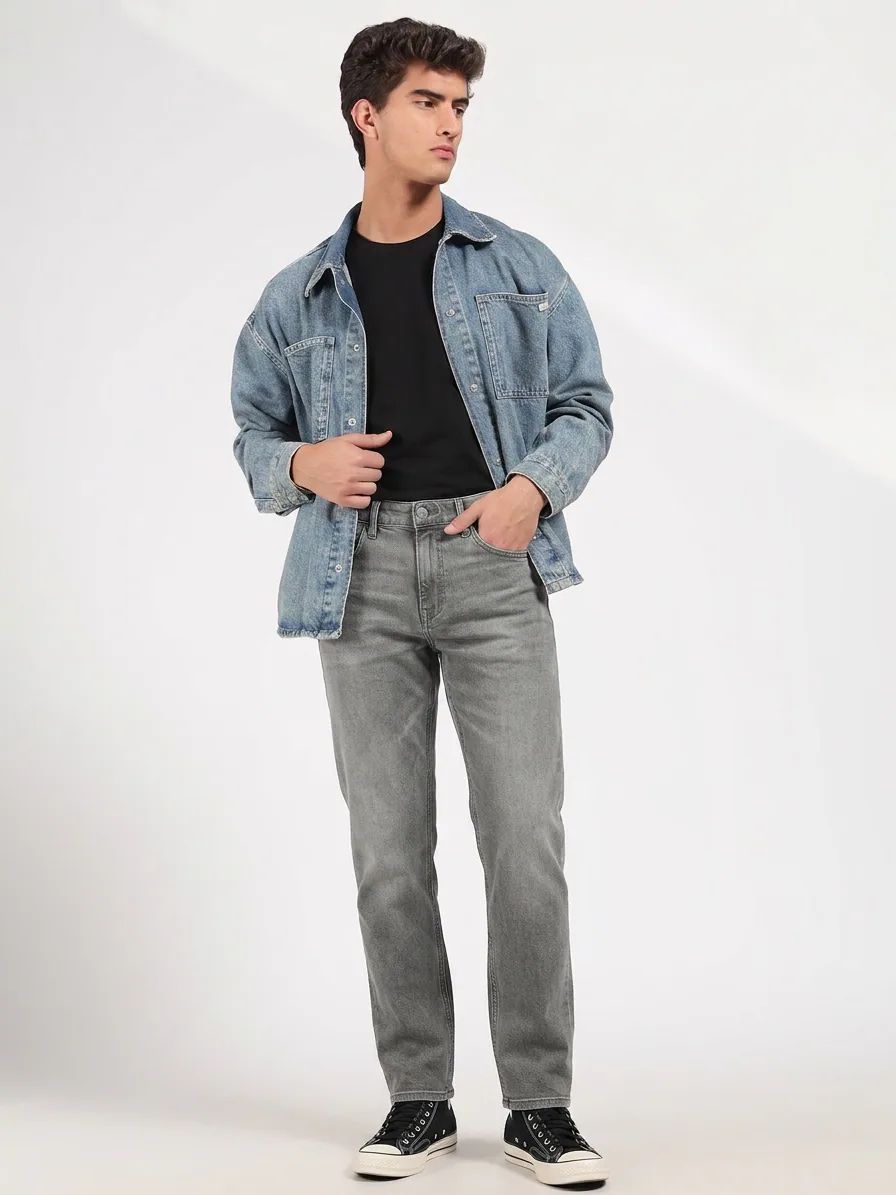
Use visual references as part of a connected creative production process.
More than a video generator.
Lemonpeel combines generation with creative controls and post-generation capabilities so teams can work across more stages of the video production process.
Motion Graphics
Access Motion Graphics as part of Lemonpeel's creative platform for graphics-oriented visual production.
Camera Control
Use camera-related controls within supported creative generation workflows.
Edit Video
Keep video editing within the broader creative production environment.
Topaz Upscale
Use the listed Topaz Upscale capability when additional upscaling is required.
Reframe & Resize
Adapt creative content for different aspect ratios and publishing requirements.
Character Consistency
Work with character references as part of connected visual production.
Translate & Lipsync
Support translation and lipsync-related video workflows where required.
Asset References
Keep products, characters and other creative references available across production.
A structured AI workflow for visual effects and advertising.
Instead of treating every video as an isolated generation, build the creative process around references, generation, effects, editing and final output.
Define the brief
Start with the product, concept, character, storyboard, prompt or other available creative reference.
Build the visual
Create or prepare images, storyboards, characters and other assets needed for the scene.
Generate & enhance
Use video models and available creative capabilities such as Motion Graphics and Camera Control.
Finish the content
Edit, resize, upscale, add sound or apply other supported finishing steps before delivery.
Give agency teams one place to develop, generate and refine creative.
Advertising production often involves multiple creative directions, formats and deliverables. Lemonpeel brings generation, creative references, workflows and production tools together so teams can work from a connected environment.
Product advertising
Develop product-led advertising videos from product imagery, creative prompts and supporting references.
- Product image inputs
- Product-focused advertising workflows
- Multiple aspect-ratio options
- Hooks and creative directions
Campaign creative
Build different advertising concepts and creative variations from a shared product or brand direction.
- Multiple video models
- Product and character references
- Different output ratios
- Ready-made campaign workflows
UGC-style advertising
Lemonpeel's Marketing Studio includes UGC-related options alongside other advertising formats.
- UGC
- UGC Virtual Try On
- Product Review
- Tutorial and Unboxing
Visual effects and creative finishing
Bring visual generation and finishing capabilities into the same creative environment instead of treating every stage as a separate workflow.
- Motion Graphics
- Camera Control
- Edit Video
- Reframe & Resize
Turn repeatable production tasks into reusable workflows.
Lemonpeel's Flows are curated workflows that teams can run with their own inputs. The platform also lists Flow API, MCP & CLI and Lemonpeel Agent as part of its broader platform.
- 01
Define the recurring task
Start with a production requirement such as a product video, storyboard conversion, multi-shot scene or campaign creative.
- 02
Structure the inputs
Workflows can use inputs such as product images, character references, storyboards, prompts and other creative assets.
- 03
Run the creative process
Let the configured workflow connect the relevant generation and creative stages.
- 04
Reuse the workflow
Run the same type of production process again with your own inputs rather than rebuilding it from scratch.
Explore different video models from one creative platform.
Lemonpeel currently lists multiple video models alongside image, audio and creative production capabilities. Model availability can change as the platform evolves.
| Category | Models / capabilities listed | Where they fit |
|---|---|---|
| Video | Seedance 2.5, Seedance 2 VIP, Gemini Omni Flash, Hailou 3 Max, Wan 3.0, Kling 3 | Video generation and creative experimentation |
| Image | GPT Image, Nano Banana Pro, Seedream and other image models | Product imagery, references, characters and visual development |
| Audio | Seed Audio, ElevenLabs and Veed Fabric | Voice and audio-related creative production |
| Creative studios | Marketing Studio, Film Studio, Image Studio, Motion Graphics, Avatar Studio and Speech Studio | Structured creative production |
| Platform | Flows, Flow API, MCP & CLI, Lemonpeel Agent, Asset References and Team Controls | Reusable workflows and professional production |
Use visual references as building blocks for AI production.
Lemonpeel's live workflows show how products, characters, storyboards and other images can become inputs to a broader creative generation process.
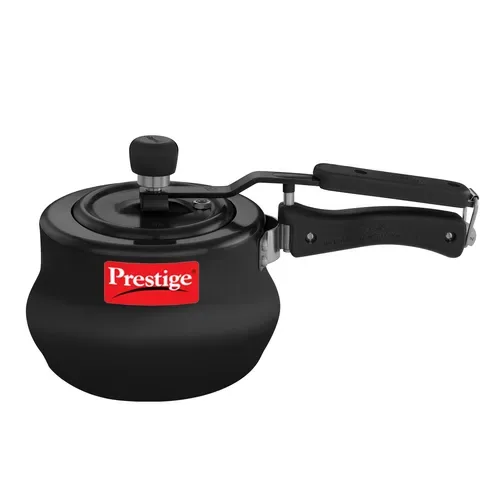
Lemonpeel's Home Appliances workflow accepts multiple product images, product features, a brand logo, brand and product name, and optional custom instructions.
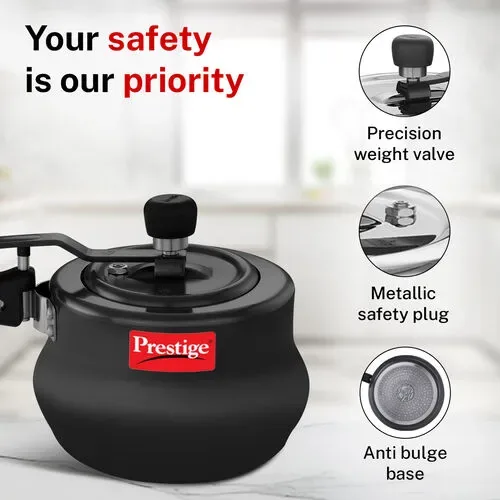
Product imagery can be paired with feature-focused creative inputs.
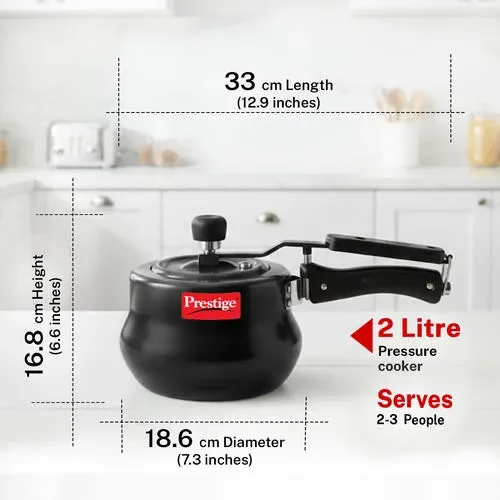
Product dimensions and information can also form part of the source material for product-focused workflows.
Start with a workflow built for the task.
Lemonpeel's Flows library includes workflows for advertising, product content, filmmaking, characters, motion and more.
Marketing Studio
Turn a product into a video ad with hooks. The workflow includes product and character image inputs, advertising types, prompts, aspect ratios, duration and hooks.
View Marketing StudioStoryboard to Film
Convert photorealistic storyboards to film scenes using a storyboard image, prompt, duration and aspect ratio.
View Storyboard to FilmMulti Shot Builder
Generate a single 15-second video with four shots and full consistency.
View Multi Shot BuilderHome Appliances
Generate a 15-second home appliance product video using product images, features, brand information and custom instructions.
View Home AppliancesPremium Cataloguing
Generate four artistic brand creatives using a brand logo, product, reference image, color and custom instructions.
View Premium CataloguingVirtual Try On
Extract outfits and swap them onto new looks using a model reference image and garment reference image.
View Virtual Try OnBuild agency production around reusable creative systems.
For agencies, the value of an AI creative platform is not limited to generating one impressive clip. The workflow also needs to accommodate different clients, products, formats, creative references and recurring deliverables.
Lemonpeel's platform includes Team Controls, Asset References, Flows and team-oriented plans alongside its generation and editing capabilities.
- Organize reusable creative assets and references.
- Develop advertising videos around product inputs.
- Work across multiple video generation models.
- Create different aspect ratios for campaign requirements.
- Use ready-made flows for recurring creative tasks.
- Collaborate through the Agency plan's team capabilities.
Plans for professional AI video production.
Lemonpeel currently lists Basic, Agency and Enterprise plans. Usage is based on credits, with images and videos consuming credits according to the model and workflow used.
Basic
What you get:
- Up to 7,000 images or 700 seconds of video
- Access to all available AI models
- Exclusive workflows
- Professional editing tools
- Limited projects
Agency
Everything in Basic, plus:
- Up to 21,000 images or 2100 seconds of video
- Team collaboration
- Unlimited projects
- Unlimited seats
- Shared asset library
- Credit top-ups
Enterprise
Includes:
- Custom usage limits
- Unlimited seats
- Custom credit top-ups
- Admin controls
- Team onboarding & training
- Dedicated creative support
- Custom workflow agents (coming soon)
Pricing note: Lemonpeel states that images and videos consume credits based on the model and workflow used, video limits are calculated on final output duration, Agency and Enterprise plans support credit top-ups, and listed prices exclude applicable taxes.
A creative operating system instead of another isolated generator.
Lemonpeel positions its platform around the complete creative workflow: text, image, video, sound, editing, reusable assets, workflows and AI-powered production.
Keep the creative pipeline connected.
Scripts, images, video, sound, editing and workflows can be approached as connected parts of the same creative process.
Explore multiple models.
Lemonpeel lists multiple video models in its platform, allowing teams to work from one environment.
Keep important assets available.
Asset References and Character Consistency are part of the platform's listed capabilities.
Reuse production logic.
Ready-made Flows allow teams to start from structured production processes instead of a blank canvas.
Designed for professional teams.
The platform lists Team Controls and the Agency plan includes collaboration, unlimited seats and a shared asset library.
Explore AI-assisted production.
Lemonpeel Agent is presented as a beta capability that can work from a brief and orchestrate generations.
What should agencies look for in an AI visual effects video generator?
- Video model access: Can the team work with multiple models without maintaining a disconnected production stack?
- Creative control: Can the workflow incorporate products, characters, storyboards and visual references?
- Effects and finishing: Does the platform include Motion Graphics, Camera Control, editing, resize or upscale capabilities?
- Workflow reuse: Can recurring creative tasks be converted into repeatable workflows?
- Team support: Can professional teams manage assets and collaborate?
- Usage clarity: Are pricing, credits and usage limits clearly documented?
AI video production for India's fast-moving creative market.
Lemonpeel's pricing is presented in Indian rupees, and its workflow library includes India-relevant creative capabilities such as a Hindi Translate & Lipsync workflow.
For agencies, brands and creative professionals evaluating AI video production in India, the platform brings advertising, product, filmmaking, image and workflow capabilities together.
- Advertising and campaign videos
- Product-focused creative
- UGC-style advertising
- Fashion and virtual try-on content
- Storyboard and filmmaking workflows
- Hindi translation and lipsync workflows
AI visual effects and advertising video FAQs.
Clear answers to common questions about using Lemonpeel for AI video generation, advertising, visual effects and workflows.
What is an AI visual effects video generator?
An AI visual effects video generator uses AI models and creative tools to help generate, transform, enhance or assemble visual content for video. Lemonpeel combines video generation with capabilities including Motion Graphics, Camera Control, Edit Video, Topaz Upscale and Reframe & Resize.
Does Lemonpeel offer an AI visual effects video generator?
Lemonpeel lists AI visual effects video generation as a supported creative use case and provides related capabilities including Motion Graphics, Camera Control, video models, editing, upscaling and reusable workflows.
Can agencies use Lemonpeel for visual effects?
Yes. Lemonpeel is positioned for professional creative teams, and its platform includes agency-oriented capabilities such as Team Controls, Asset References, Flows, Marketing Studio and an Agency plan with team collaboration, unlimited seats and a shared asset library.
What is an AI video tool for advertising agencies?
An AI video tool for advertising agencies helps teams create advertising-related video using AI generation and structured creative workflows. Lemonpeel's Marketing Studio supports product images, character images, advertising types, prompts, hooks, aspect ratios and durations.
Can Lemonpeel create advertising videos from a product?
Yes. Lemonpeel's Marketing Studio is described as a workflow that can turn a product into a video ad with hooks. It accepts product and character images and provides advertising-related options.
Can I use characters in advertising videos?
Lemonpeel's Marketing Studio accepts a character image alongside a product image. The wider platform also lists Character Consistency and character-related workflows.
Can Lemonpeel create multi-shot videos?
Yes. Lemonpeel's Multi Shot Builder is designed to generate a single 15-second video with four shots and full consistency.
Can Lemonpeel convert storyboards into video?
Yes. The Storyboard to Film workflow converts photorealistic storyboards to film scenes. It accepts a storyboard image, prompt, duration and aspect ratio.
What video models are available on Lemonpeel?
Lemonpeel currently lists Seedance 2.5, Seedance 2 VIP, Gemini Omni Flash, Hailou 3 Max, Wan 3.0 and Kling 3 among its video models. The available model list can change as the platform evolves.
Does Lemonpeel support Motion Graphics?
Yes. Motion Graphics is listed among Lemonpeel's creative studios and platform capabilities.
Does Lemonpeel offer Camera Control?
Yes. Camera Control is listed as one of Lemonpeel's creative capabilities.
Can I edit AI-generated video in Lemonpeel?
Lemonpeel lists Edit Video as part of its platform, alongside Upscale and Reframe capabilities.
Does Lemonpeel support different video aspect ratios?
Lemonpeel lists 9:16, 16:9 and 1:1 formats, while individual workflows can provide additional ratio options.
Does Lemonpeel have AI video workflow automation?
Lemonpeel provides ready-made Flows and also lists Flow API, MCP & CLI and Lemonpeel Agent as platform capabilities. Flows are structured workflows that can be run with your own inputs.
What are Lemonpeel Flows?
Flows are ready-made AI workflows built around specific creative tasks. Lemonpeel's current library includes advertising, product shots, filmmaking, characters, motion and other categories.
Can Lemonpeel be used for product videos?
Yes. Lemonpeel provides product-focused workflows including Home Appliances, Studio Pack, Product Animator, Eyewear Campaign and other product-shot workflows.
Can Lemonpeel be used for fashion advertising?
Lemonpeel's workflow library includes fashion-related workflows such as Fashion Reel, Lux Fashion UGC, Virtual Try On and other fashion-oriented creative flows.
Does Lemonpeel support virtual try-on content?
Yes. Its Virtual Try On workflow accepts a model reference image and garment reference image and is designed to extract outfits and swap them onto new looks.
Does Lemonpeel offer an Agency plan?
Yes. The current Agency plan is listed at ₹22,999 per month before applicable taxes and includes team collaboration, unlimited projects, unlimited seats, a shared asset library and credit top-ups.
How much does Lemonpeel cost?
Lemonpeel currently lists a Basic plan at ₹11,999 per month, an Agency plan at ₹22,999 per month and custom Enterprise plans. Prices exclude applicable taxes.
How does Lemonpeel's credit system work?
Lemonpeel states that images and videos consume credits based on the model and workflow used. Video limits are calculated on final output duration, and credit top-ups are available on Agency and Enterprise plans.
Is Lemonpeel suitable for professional creative teams?
Lemonpeel positions itself as an AI OS for creative professionals and provides capabilities for video, image, audio, editing, workflows, asset references and team controls.
How can I start using Lemonpeel?
You can sign up through the Lemonpeel Studio and explore available workflows. For plan guidance, billing questions or Enterprise access, Lemonpeel lists team@lemonpeel.ai as its contact email.
Explore the AI creative platform and its workflows.
Turn your products, ideas and visual references into production-ready AI video workflows.
Explore Lemonpeel's AI creative platform for advertising, visual effects, product content, filmmaking and repeatable creative production.